Aster gives your AI assistant
hands on an Android phone
Aster connects an Android phone to Claude, OpenClaw or MoltBot — AI agent clients that speak the Model Context Protocol. Run it as the copilot for the phone in your pocket, or plug a spare handset into a charger and give your AI its own device — one that calls, texts and acts on its own.
Open source, self-hosted, and published to npm as aster-mcp. Unrelated to Aster DM Healthcare or the ASTER satellite instrument.
What people ask for
Find duplicate photos on my phone and free up space
aster_index_media_metadata → aster_search_media
Found 47 duplicate sets taking up 1.2 GB. Want me to keep the best copy of each and delete the rest?
In one screen
Quick facts
Everything worth knowing before you install it, with nothing rounded off.
- What it is
- An MCP server plus an Android companion app that lets an AI assistant see and control a phone.
- Server
- npm
aster-mcp, Node.js >= 20 - Phone
- Android 8.0+ (API 26), no root required
- Tools
- 49 MCP tools, all namespaced
aster_* - Clients
- Any MCP client: Claude Code, Claude Desktop, AnythingLLM, and the open-source agent clients OpenClaw, MoltBot and ClawdBot
- Ports
- 5987 device websocket, 5988 api + mcp http, 5989 web dashboard
- Licence
- MIT, free and open source
- Hosting
- Self-hosted on your own machine. No account, no telemetry, no vendor relay.
The missing piece
You gave your AI a voice.
Now give it hands.
Your assistant already reads, writes and plans for you. It has been stuck behind a text box, unable to touch the one device that runs your day.
Today
Your AI can talk
- Chats on WhatsApp and Telegram
- It reads and answers messages for you
- Drafts email and documents
- It writes on your behalf
- Schedules and organises
- It keeps track of your time
- Writes and reviews code
- It builds software alongside you
“Set an alarm for 6 AM” — and then you pick up the phone and do it yourself.
With Aster
Your AI can act
- Taps, swipes and types on the phone
- Full screen control through the accessibility service
- Takes photos and records video
- Either camera, on request or when an event fires
- Reacts to events as they happen
- New SMS, notifications and device status, pushed to your agent
- Reads notifications, sends SMS, places calls
- Including a call that speaks a message out loud
“Set an alarm for 6 AM” — and it just does it.
You already trust AI with your email, your calendar and your code.
Aster lets it touch your phone — or better yet, its own.
How it works
Three ways a command reaches the phone
The phone never accepts a connection. It dials out and holds the socket open, which is why Aster works behind a home router with nothing forwarded. Which transport you get decides which tool names your client sees — and that is the one detail worth reading twice.
- Default
Remote WebSocket
The phone holds a WebSocket to the Node server on your machine; your AI client speaks MCP over HTTP to that same server.
Tools it sees: aster_* (49 tools)
- Standalone
On-device MCP server
The app runs its own Streamable-HTTP MCP server (Ktor, default port 8080) on the phone. No desktop server involved.
Tools it sees: unprefixed actions (77 in the on-device catalog)
- Same device
Binder IPC
An agent running on the same phone — such as OpenAlly — calls Aster directly over Android Binder IPC, with no network hop.
Tools it sees: unprefixed actions (77 in the on-device catalog)
The architecture page walks one command end to end through each transport, with the real latencies.
Capabilities
49 tools. Your phone, or its own.
Every tool an MCP client sees is namespaced aster_*, so nothing here collides with the other servers you have connected. Eight capability groups are below; the full list of 49 tools lives on the tools page.
Screen control
Read the live UI tree with
aster_get_screen_hierarchy, then tap, swipe, type and navigate.aster_take_screenshotsends back what the phone is showing right now.App automations, with a human in the loop
When an automation run hits something only you should do, Aster puts it on screen and waits: a choice, an approve-or-deny card, a sign-in wall, a payment hand-off. These are on-device actions over Binder IPC — the runner is OpenAlly, not an MCP client.
Media intelligence
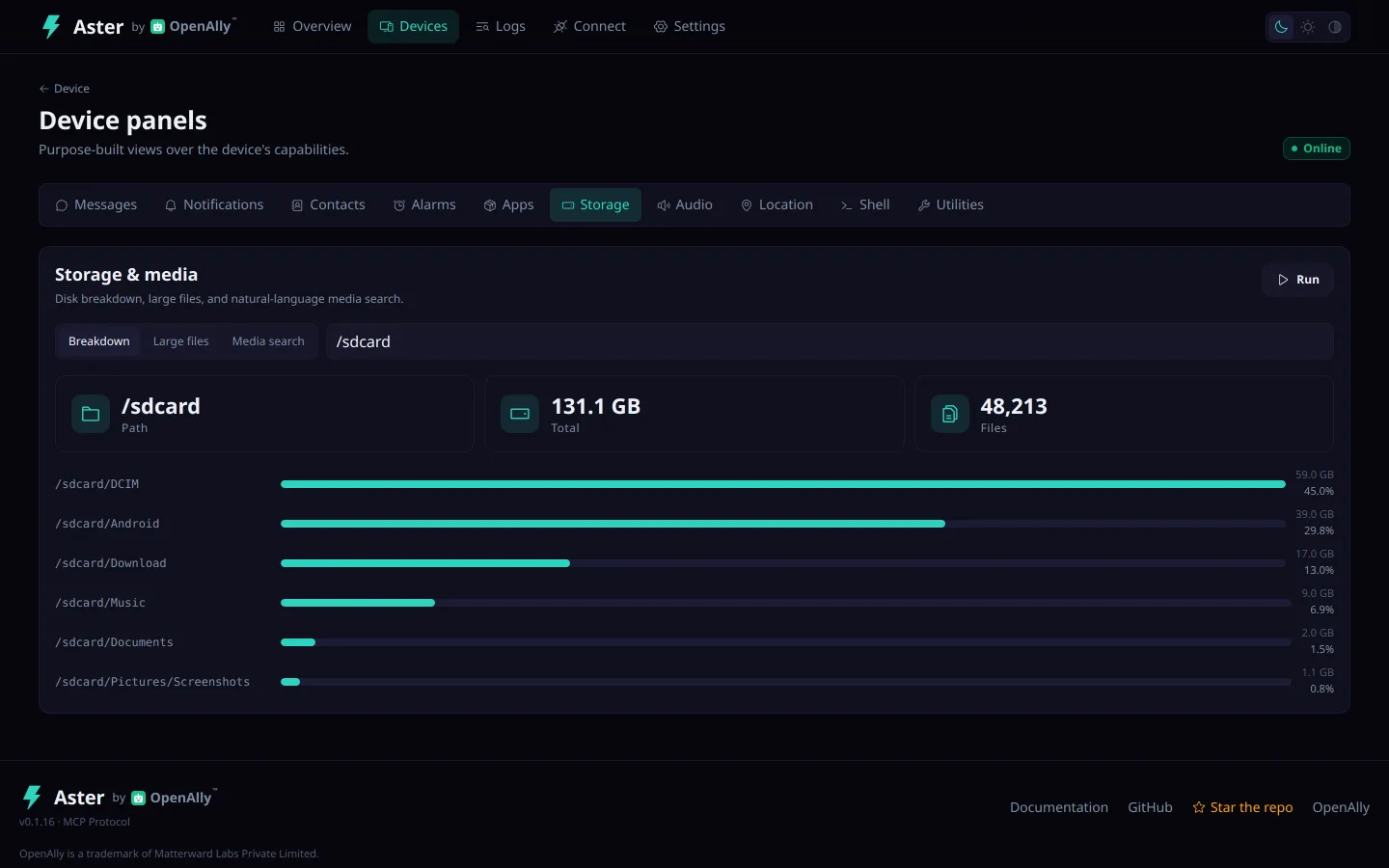
aster_index_media_metadatabuilds a local index of the camera roll;aster_search_mediaqueries it by date, place and content without uploading a single photo.Files and storage
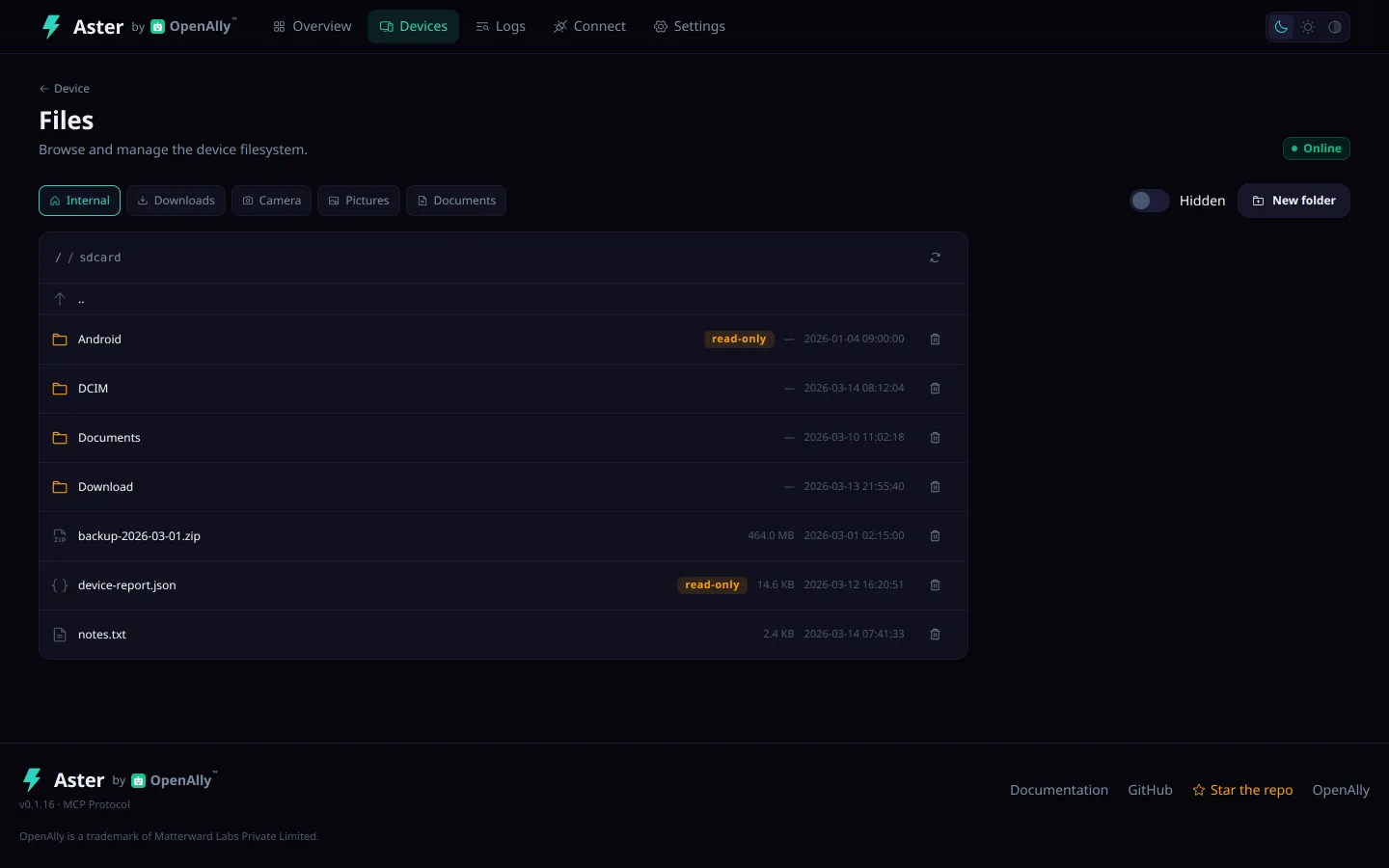
List, read, write and delete any path the app can reach — the file tools are not folder-scoped, and withholding all-files access is what bounds them (see /security).
aster_analyze_storageandaster_find_large_filesexplain where the free space went.Calls, SMS and voice
aster_send_smsandaster_make_calldo the obvious thing.aster_make_call_with_voicedials a number, turns on the speaker and speaks a message through text to speech.Notifications and events
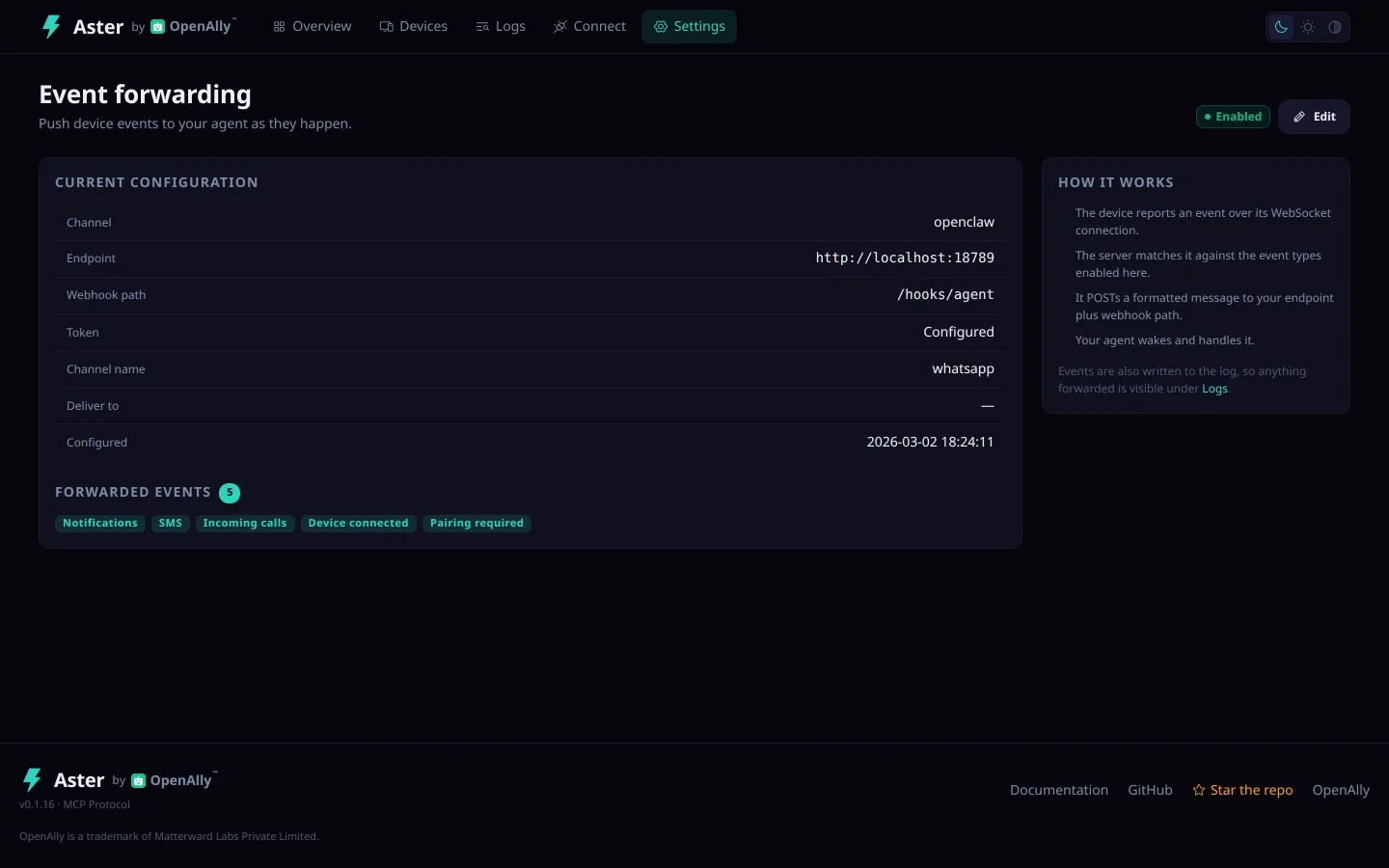
aster_read_notificationsreads the shade on demand. Event forwarding pushes new SMS, notifications, calls and device-status changes to a webhook, so the assistant acts without being asked.Camera and video
aster_take_photoandaster_record_videorun either camera on request or on an event. A charging spare phone becomes a pet cam, a doorbell or a parcel watch.Companion face
An animated on-screen companion that lip-syncs to text-to-speech and reacts to whatever is playing, driven by an on-device event classifier that never sends audio anywhere. Like App automations, this is driven on-device by OpenAlly over Binder IPC — the companion_overlay_* verbs are not among the 49 aster_* tools.
Before you install it
What it protects, and what it does not
Handing an AI a phone is a real grant, so here is the short version with the awkward parts left in. Nothing below is a summary of a summary — each line is the heading of a section on the security page that explains it in full.
What it protects
- No root, no ADB exploit
- Self-hosted, no account, no telemetry
- An unapproved device connects, but cannot be commanded
- A kill switch you can always reach
- Banking and payment apps are refused by default
What it does not
- The file tools are not path-scoped — know this before you approve
- The device link is plain ws:// by default
Both limits are fixable and the security page says how — withhold all-files access, and put the link on a private mesh before it leaves your LAN.
Read the full security page — 32 permissions with the reason for each, and 6 hardening steps.
App and dashboard
Companion apps included
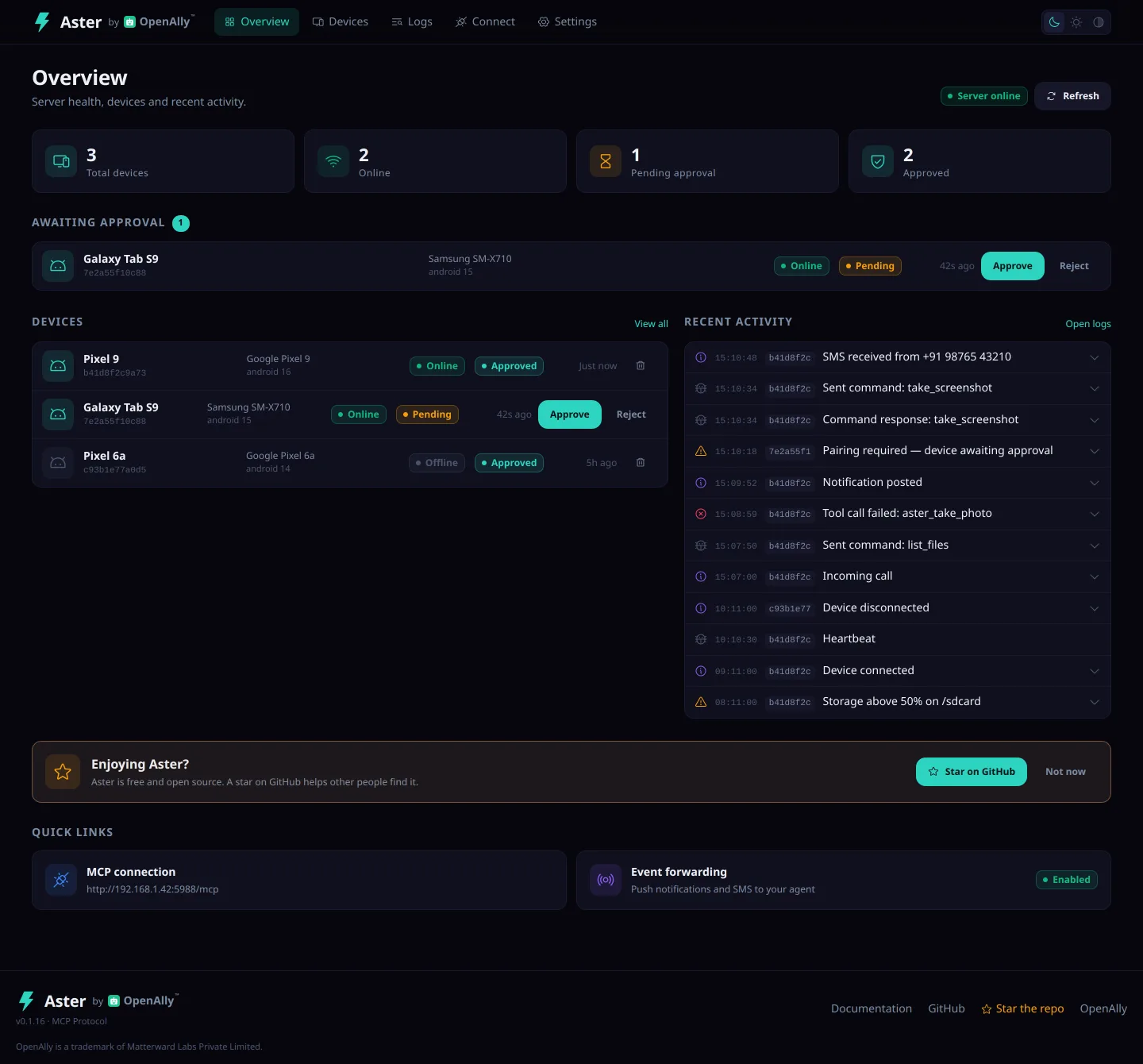
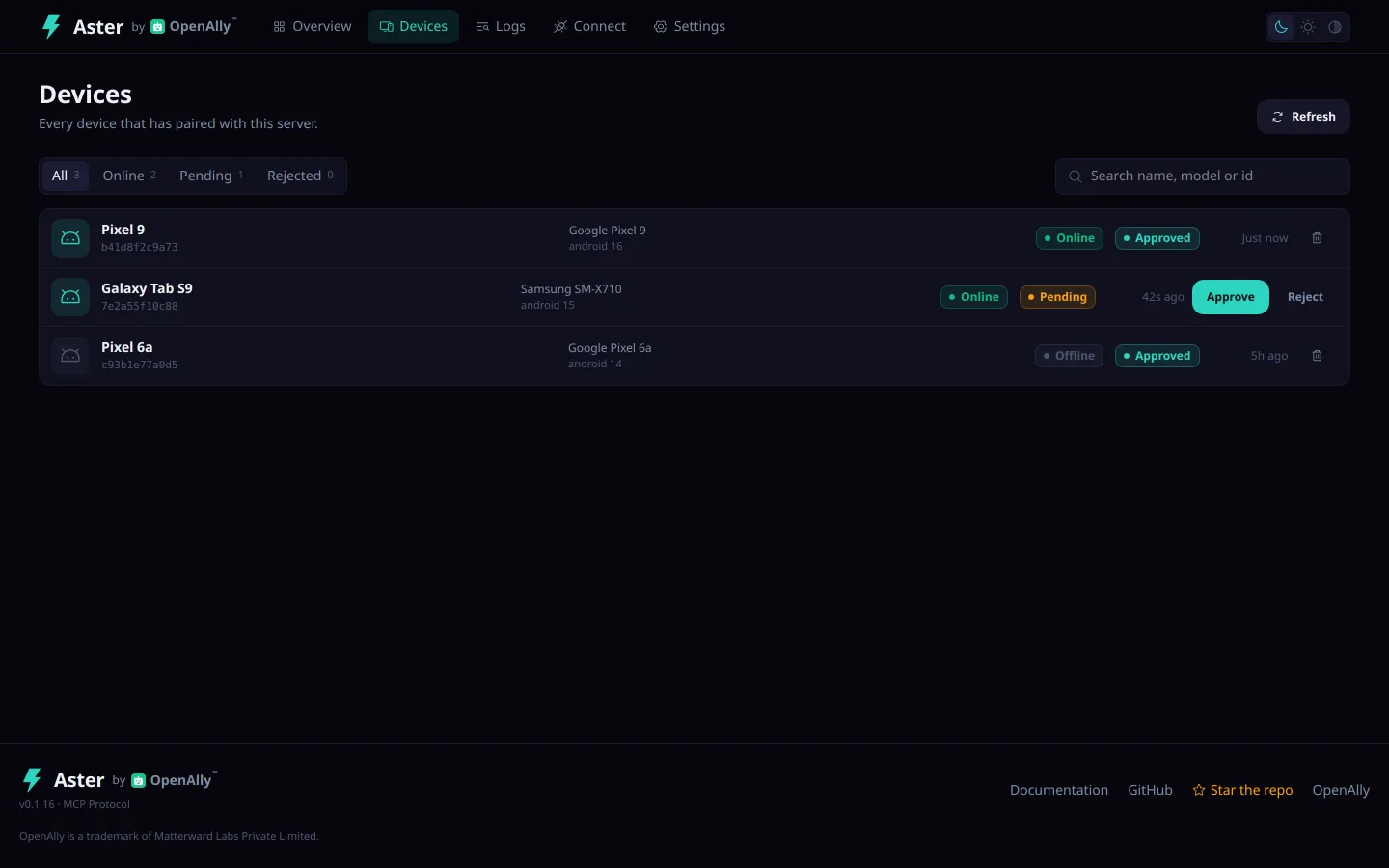
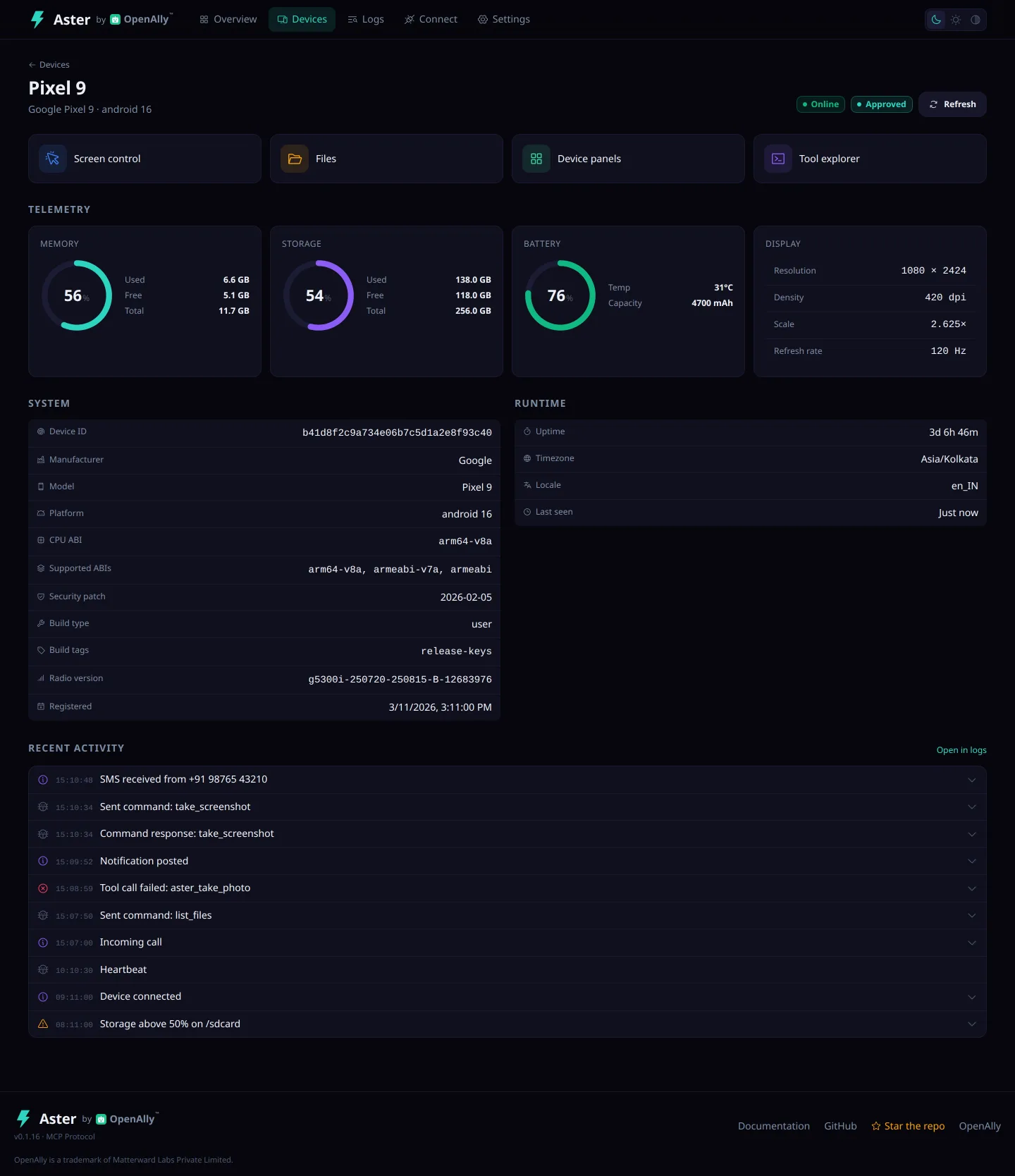
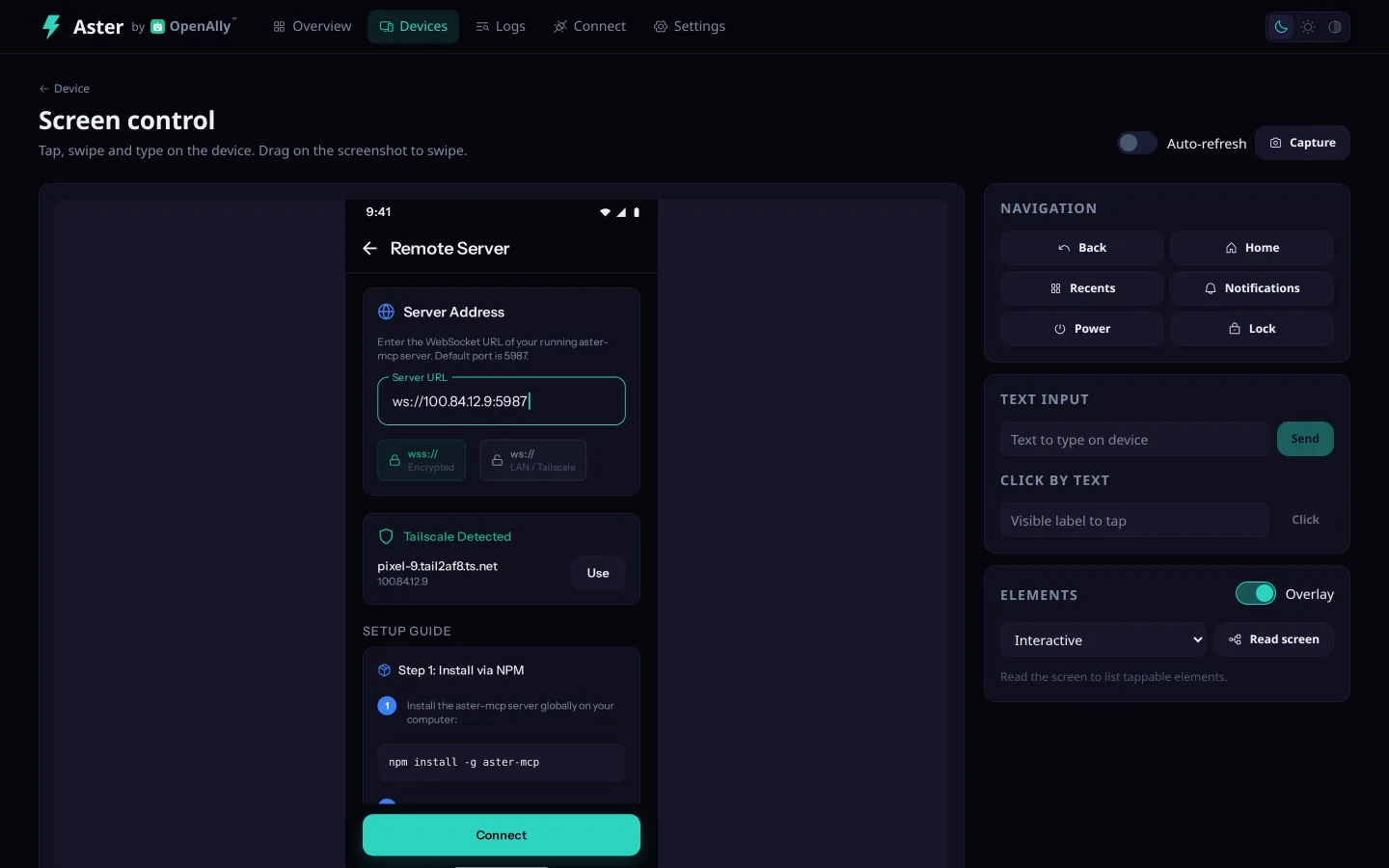
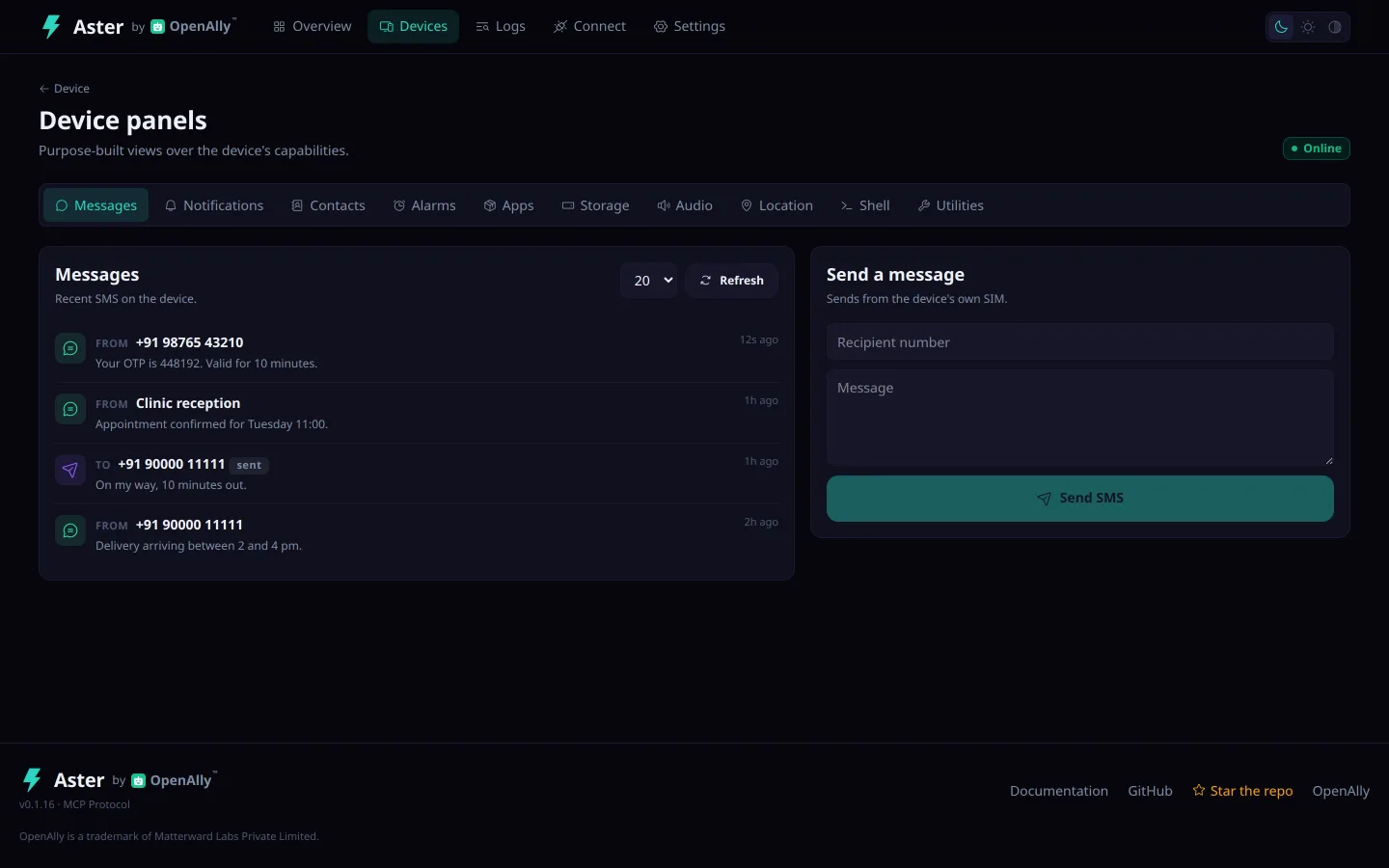
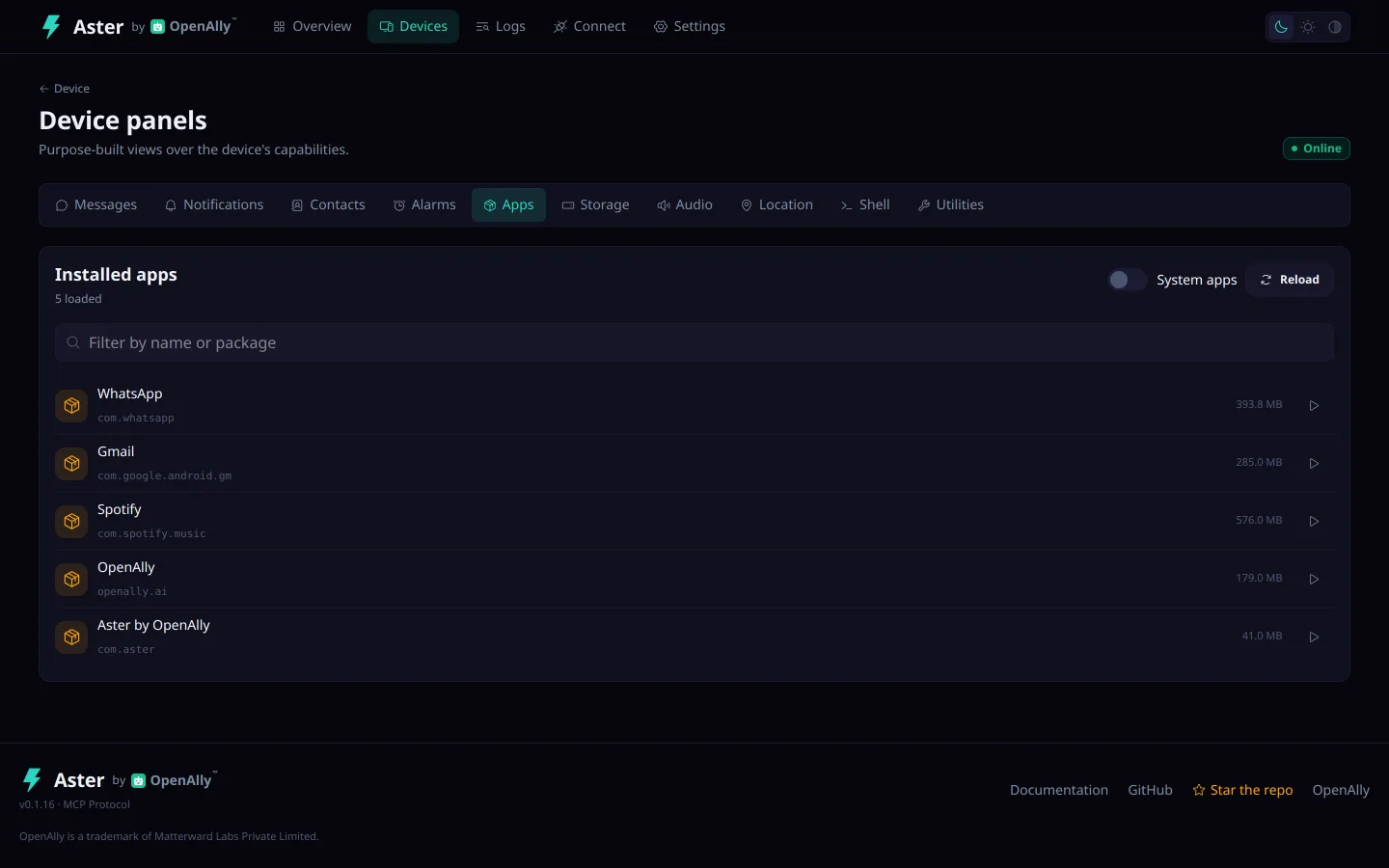
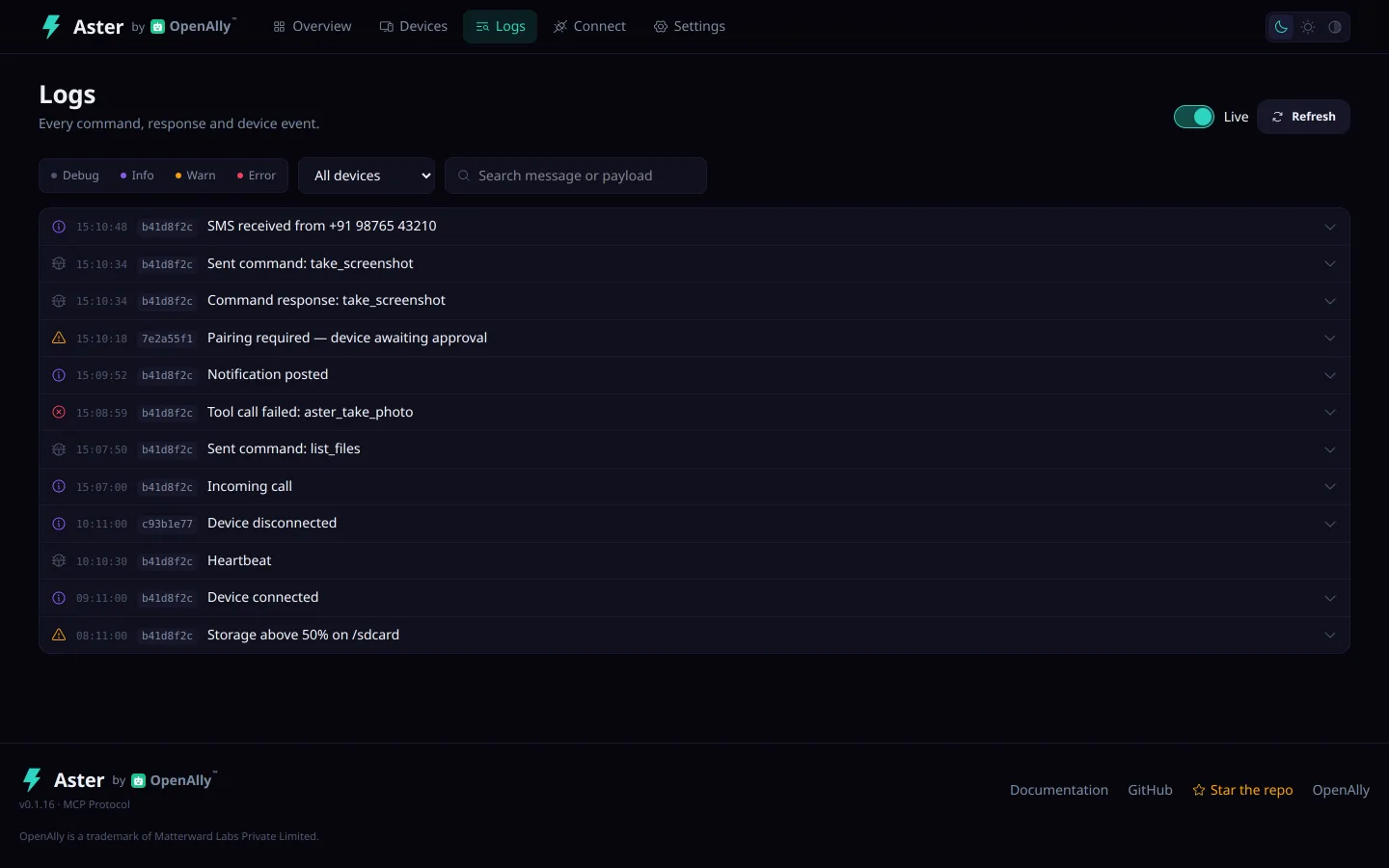
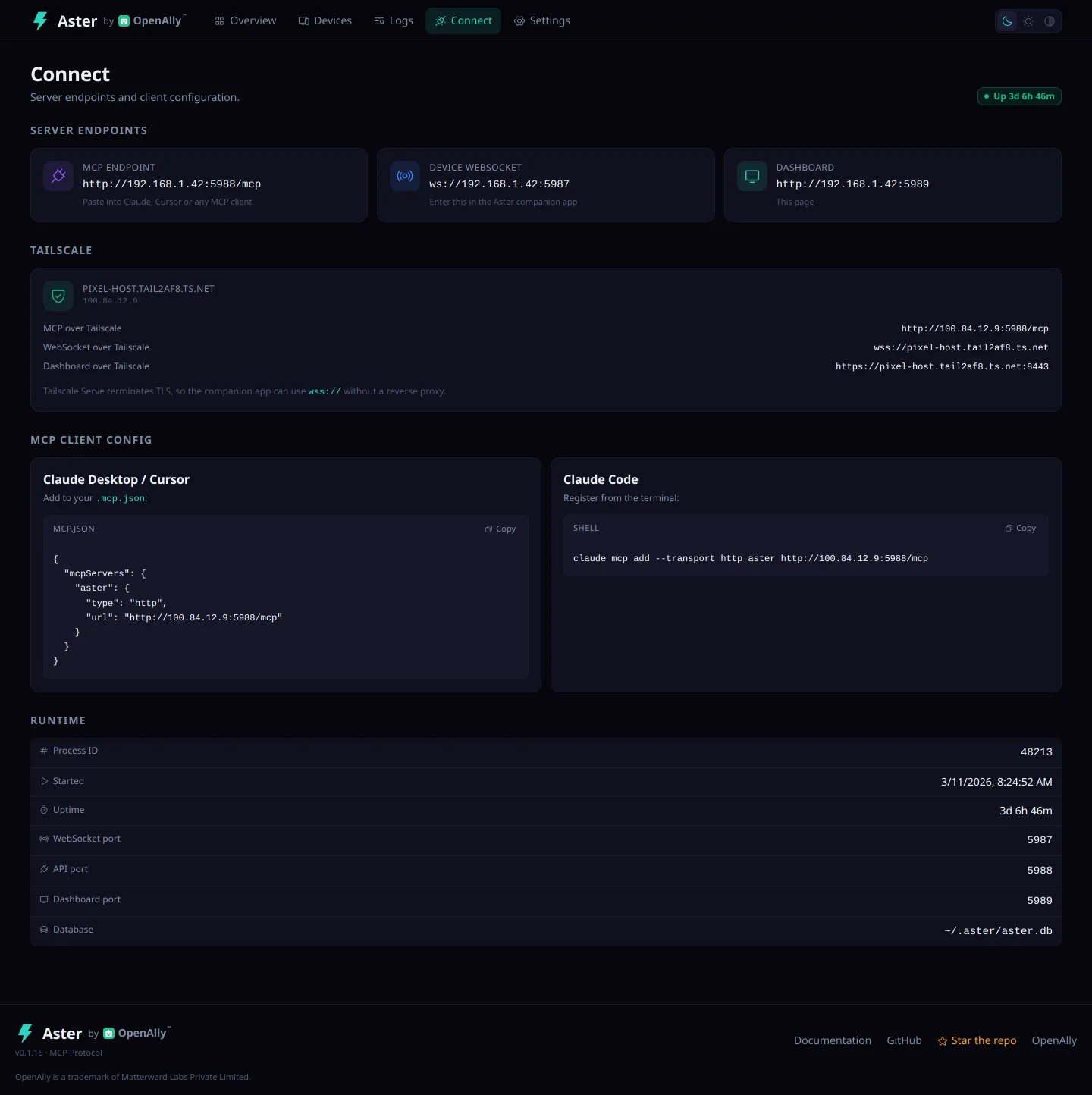
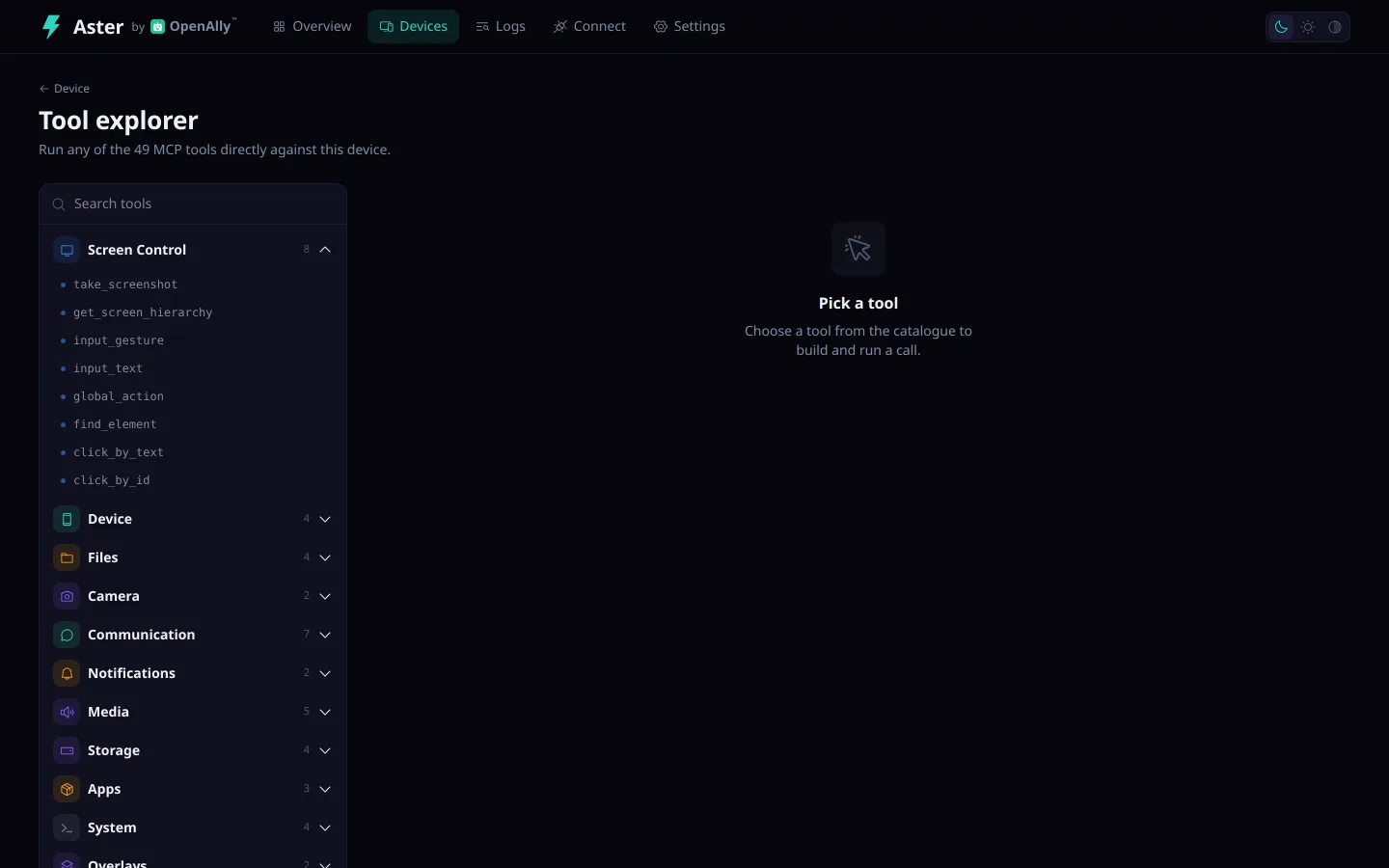
Aster ships an Android companion app and a web dashboard at http://localhost:5989 for device approval, file browsing, live screen control and MCP tool testing. Both ship in a dark and a light theme.
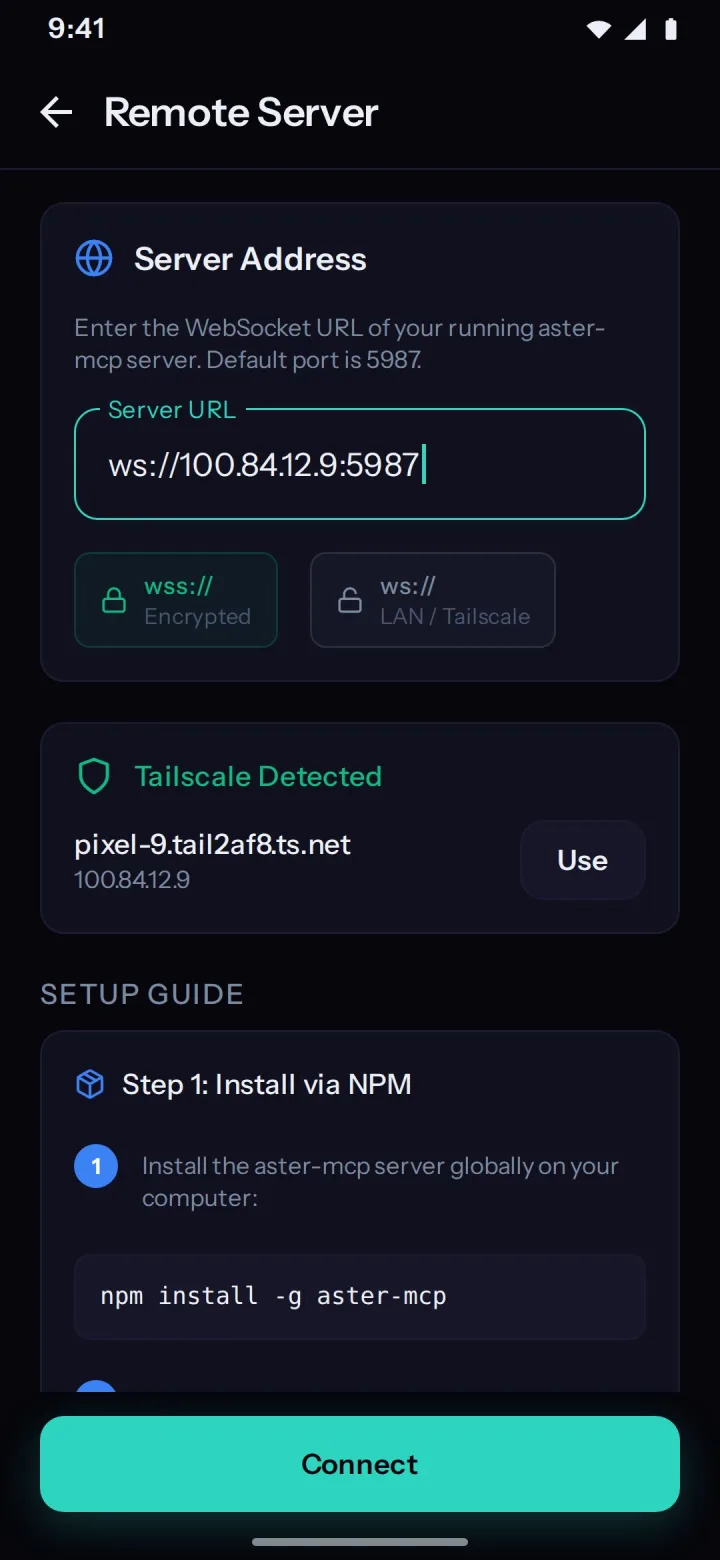
Connection setup
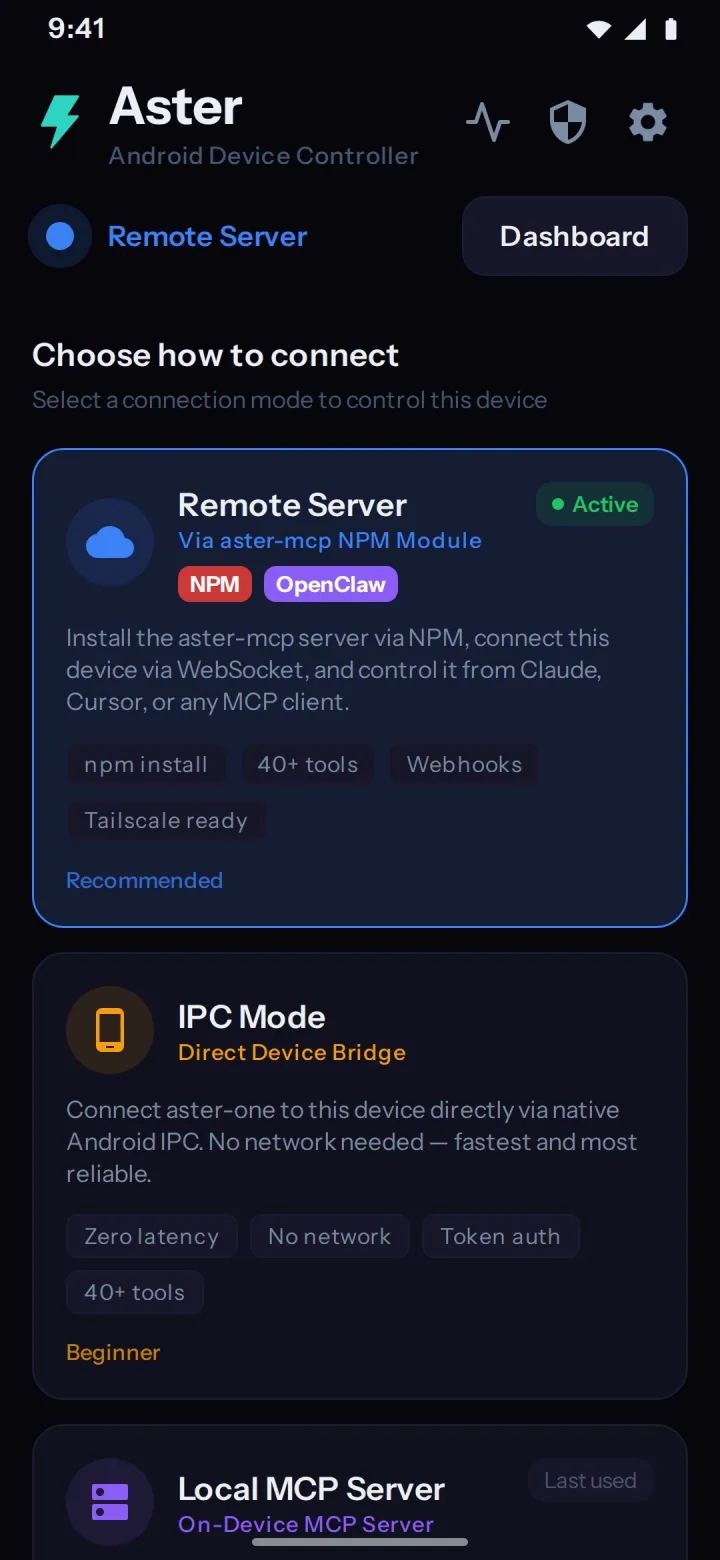
Device dashboard
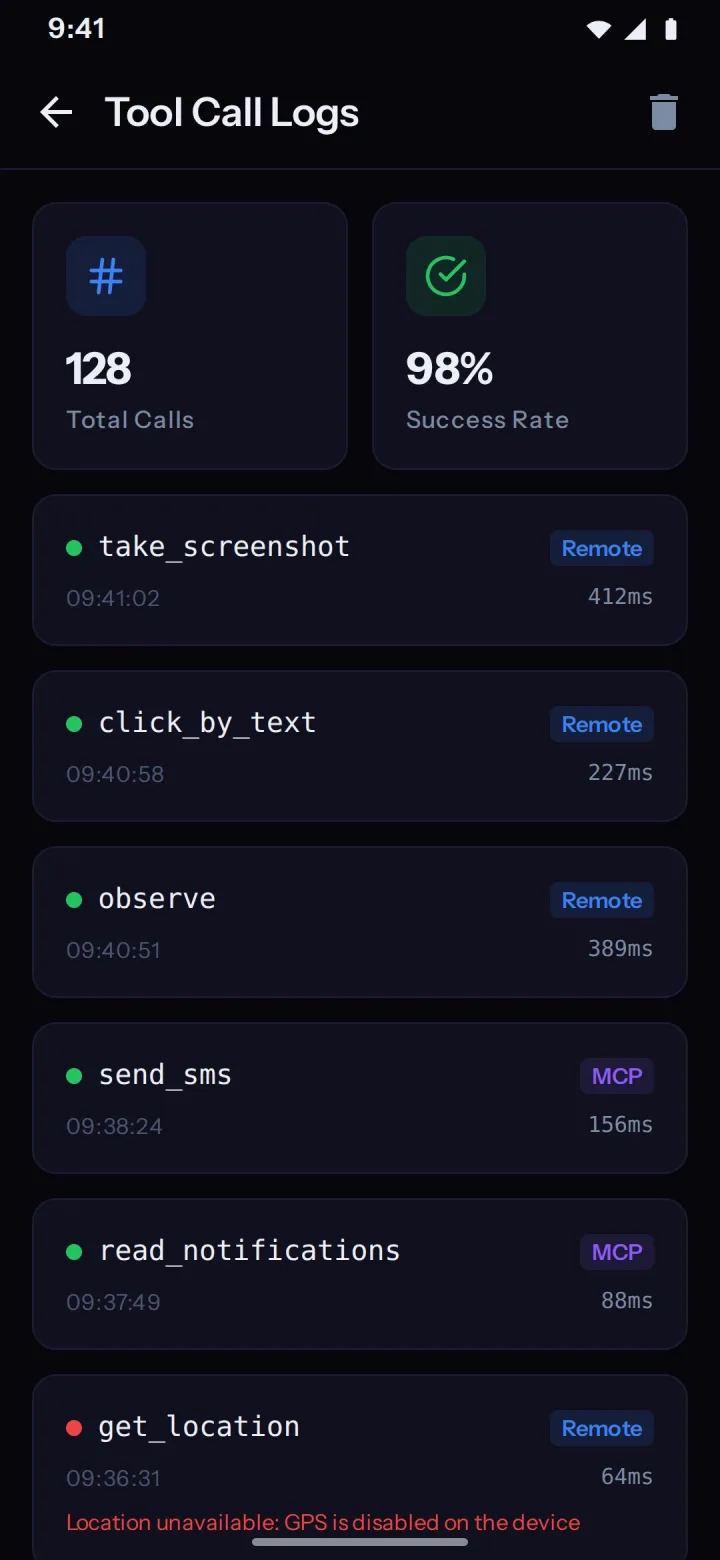
Tool call logs
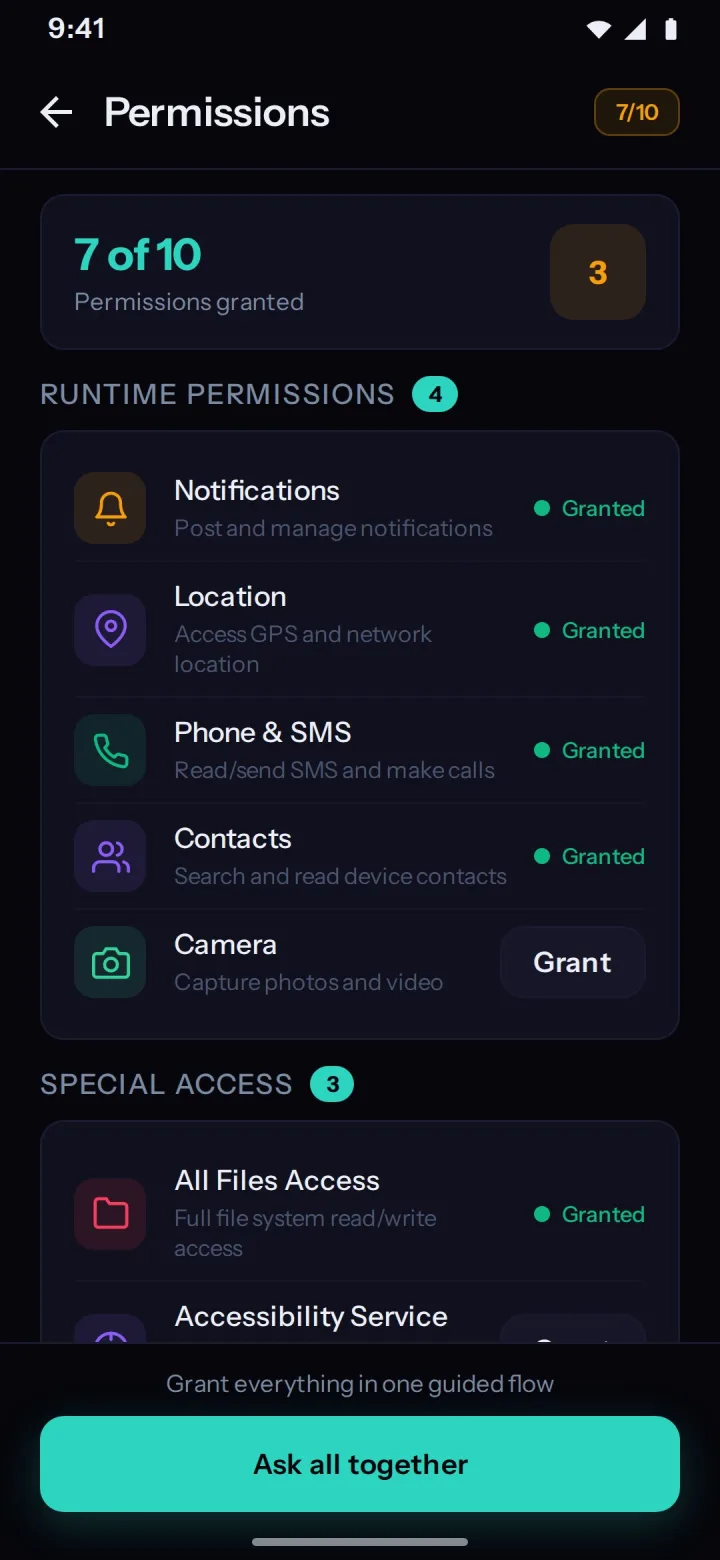
Permissions
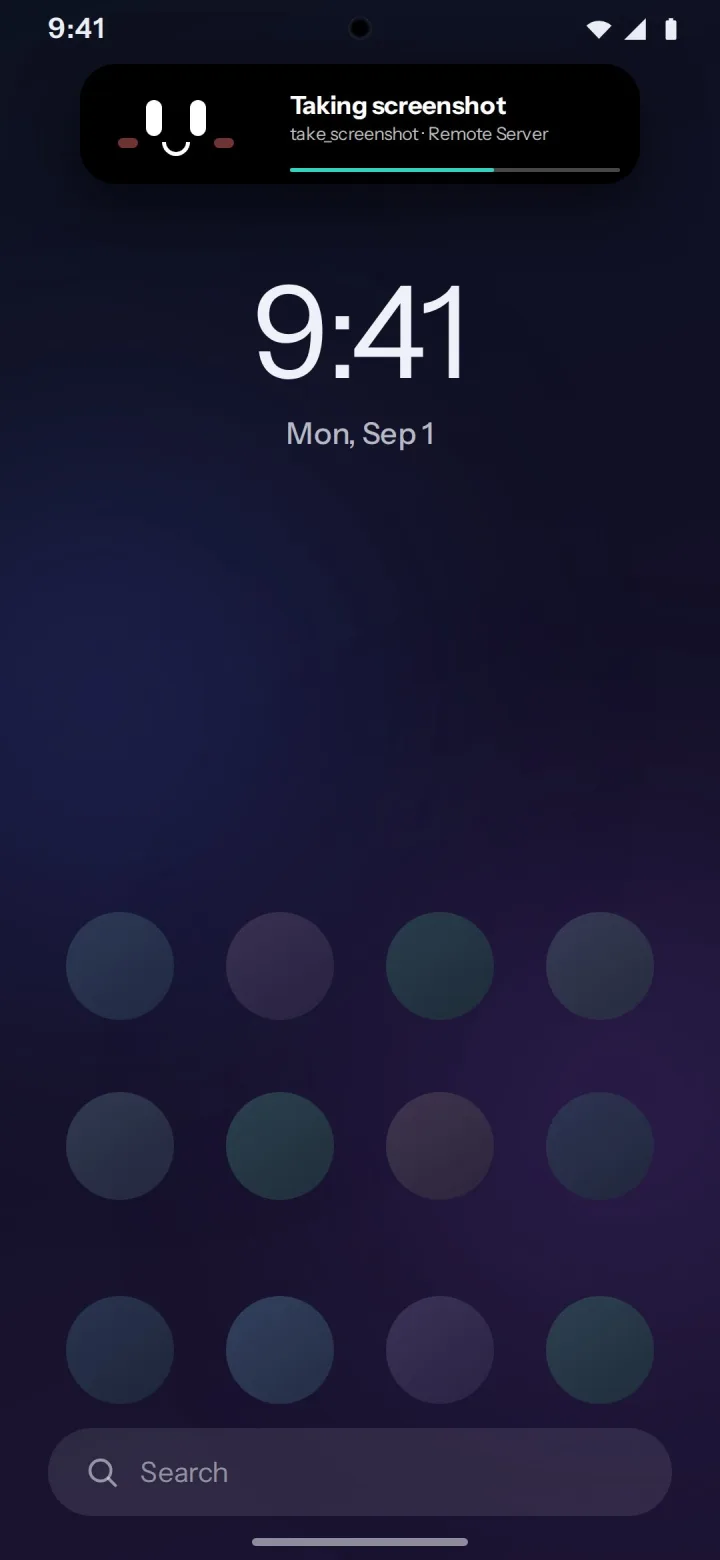
Companion face
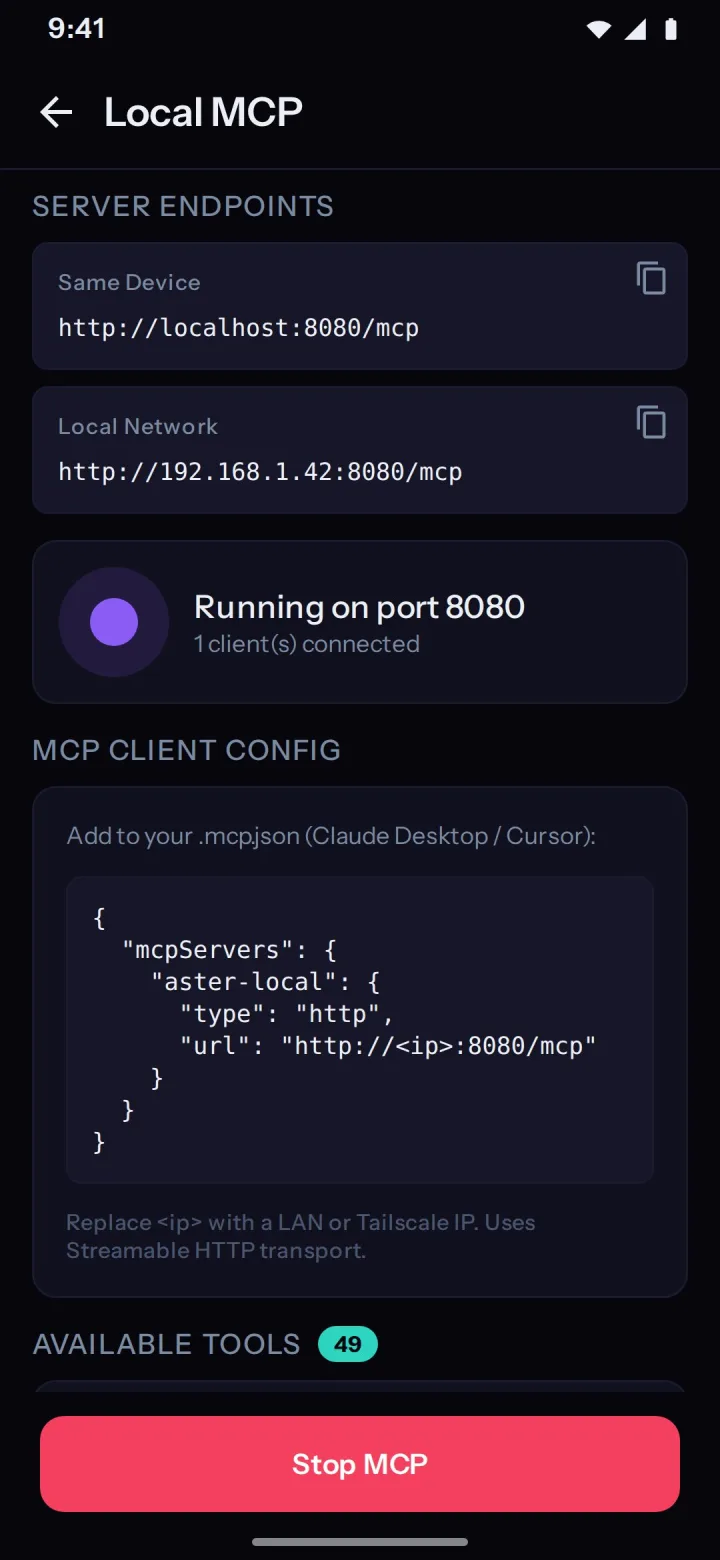
On-device MCP
The Android app
The phone half works on its own
The companion is a normal Android app, and it does not need the server to be useful. Sideload it and the phone can serve MCP on its own: the app embeds a Streamable-HTTP MCP server and exposes 77 on-device actions to any client that can reach it. The Node server is what adds multi-device management, the approval gate and the 49 prefixed aster_* tools — it is not what makes the phone controllable.
Serves MCP from the phone
An embedded Ktor server speaks Streamable-HTTP MCP on port 8080 by default. Point a client on your LAN at the handset and it sees 77 unprefixed actions — no desktop, no Node, no account.
Answers apps on the same device
An agent already running on the phone binds the service directly over Android Binder IPC. No network hop at all, so it keeps working with the radio off.
Runs its own console
The app carries a device dashboard, a guided pass that requests every permission in one go, a live log of each tool call with its arguments and result, and a panel for the on-device server.
Download the companion app
Version 1.7.1 for Android 8.0+ (API 26). Sideloaded from GitHub, not the Play Store.
- Version
- 1.7.1, the current GitHub release
- Requires
- Android 8.0+ (API 26). Root is not required and is not used.
- Distribution
- A signed APK on GitHub Releases. It is not on the Google Play Store, so Android will ask you to allow installs from your browser or file manager the first time.
- Licence
- MIT, same as the server. The Android source is in the same repository.
Start here
The rest of the documentation
Seven pages, each answering one question end to end. Every one of them is a plain prerendered document, and every one has a markdown twin an AI client can fetch instead of the HTML.
- Use casesReal prompts people give Aster: free up storage, find duplicate photos, read notifications, call someone and speak a message, auto-reply while driving.
- AI phonePlug a spare Android into a charger and give your AI its own number. It watches notifications, calls you, texts you and acts without being asked.
- ToolsAll 49 aster_* MCP tools with their exact names and arguments, plus the separate catalogue of 77 unprefixed actions the Android app dispatches on-device.
- ArchitectureHow one command travels from your AI to the phone, and the three transports Aster speaks: remote WebSocket, on-device Ktor MCP server, and Binder IPC.
- SecuritySelf-hosted with zero telemetry and no root: device approval gate, screen-control kill switch, banking apps blocked, and where the link is not encrypted.
- SetupInstall aster-mcp from npm, run aster start, sideload the Android app, approve the device and point Claude Code at http://localhost:5988/mcp.
- FAQDevice stuck on pending, ws:// versus wss://, which ports to open, no audio on a voice call, why Aster has no chat screen, and how it compares to scrcpy.
Follow the author
Aster is built by Satyajit Pradhan. Tutorials, demos and release notes go up on YouTube.
Three commands and a sideload.
Install aster-mcp from npm on any machine running Node >= 20, start the server, install the companion app on Android 8.0+ (API 26), approve the device, and point your MCP client at http://localhost:5988/mcp.
MIT licensed, self-hosted, no account and no telemetry. Root is not required.